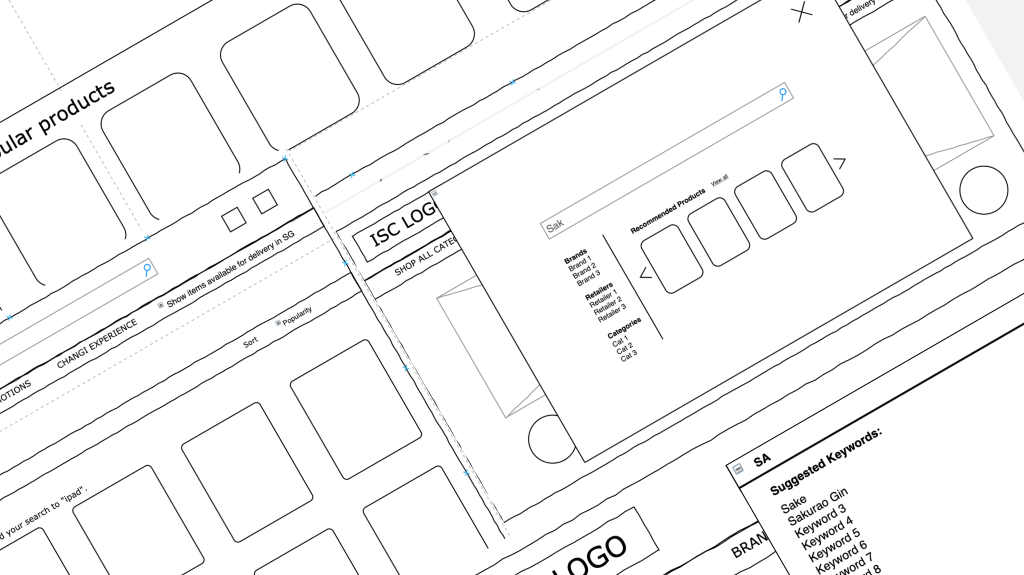
It started with a challenge—our internal stakeholder identified an opportunity to enhance the search bar’s usability, aiming for a more seamless experience. What seemed like a minor adjustment quickly unfolded into a deeper exploration of user behavior and interaction patterns.
This was a collaborative effort between my colleague and me. We began by mapping out the existing user flow, carefully analyzing how users engaged with the search functionality. Through this process, we uncovered pain points that hindered efficiency and ease of use. Recognizing the need for a data-driven approach, we expanded our research through a comparative analysis, studying similar implementations and gathering insights. Based on our findings and the stakeholder’s request, we proposed enhancements that would improve usability while aligning with user expectations.
While my primary role focused on the research phase, our work laid a solid foundation for the next steps in the project. The insights gathered informed key design decisions, setting the stage for further refinement and testing. Moving forward, continuous iteration will be crucial to ensuring the final implementation not only meets business objectives but also delivers a frictionless search experience for users.
Problem Statement:
The current search bar is not intuitive in fetching relevant keywords as users type, often resulting in displaying results that do not match user expectations. This leads to user frustration and inefficiency in finding the desired items. The stakeholder aims to enhance the user’s search experience by implementing intuitive suggestions within the mega search bar, allowing for more accurate and relevant search results as users type.
User Stories:
User Story 1 : Non-traveller typing 2 characters in search bar
As a user, I want to be able to see search results after typing 2 characters so that I can quickly find the items I am looking for, even if I don’t remember the exact name.
Acceptance Criteria:
- The search bar suggests relevant items after the user types at least 2 characters.
- The suggested items are updated in real-time as more characters are typed.
- The user can select a suggestion from the list to go directly to the item’s page.
- If no matches are found, the system displays a “No results found” message.
User flow:

Desktop Wireframe:

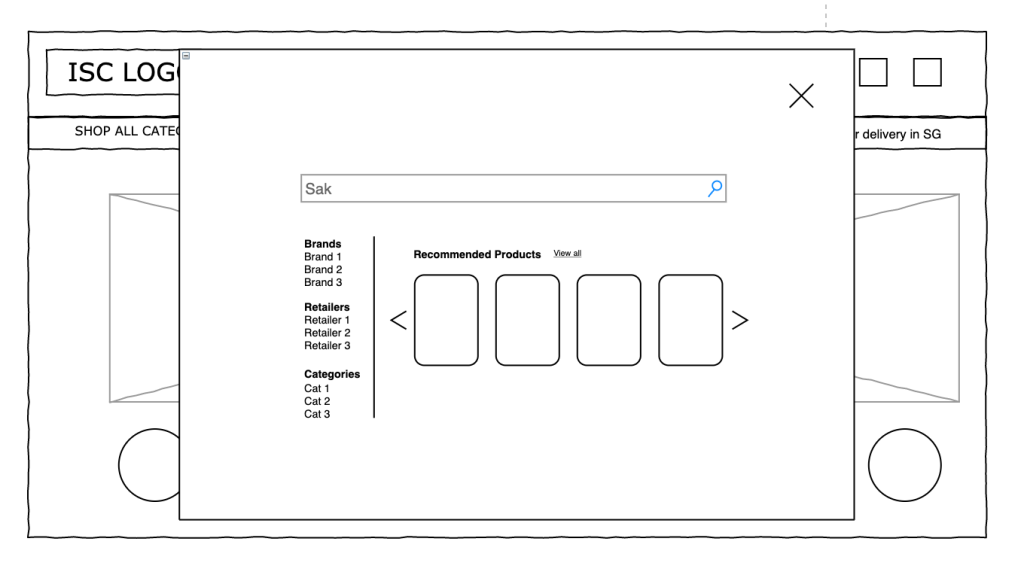
Conclusion:
The initial wireframe was approved as a long-term viable solution and later evolved to include sections that categorized the product items.
User Story 2 : Non-traveller typing misspelled item
As a user, I want to be able to see search results after typing misspelled item so that I can I can have a continuous search experience and find the item that I’m looking for.
Acceptance Criteria:
- If no matches are found, the system displays a “We adjusted your search to “closest item spelled” message.
- The suggested items are updated based on the ‘adjusted item’ searched in non-traveller page.
- There are no available item searched in non-travel but found it in the ‘traveller’ page.
- If there are no suggested items found in ‘non-traveller’ and ‘traveller’ sections, there are helpful hints to extend search experience.
Desktop Wireframe:
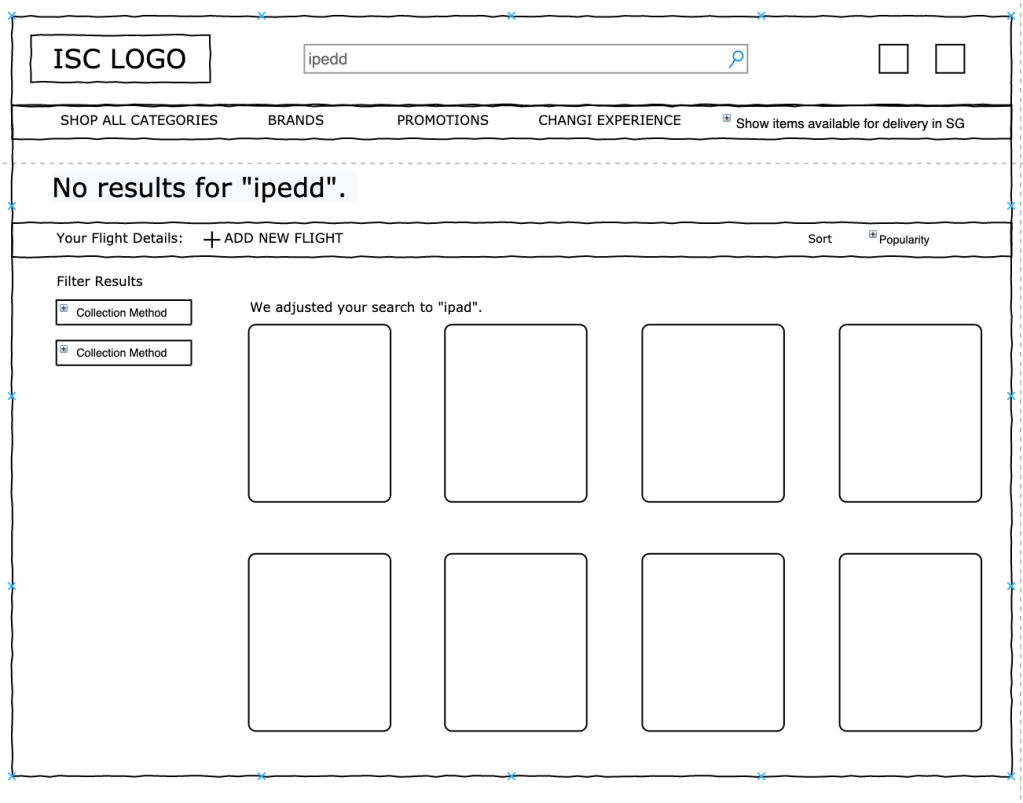

Conclusion
The research findings were presented to the stakeholders and taken into consideration. Click here for implemented version.
 FG Portfolio