
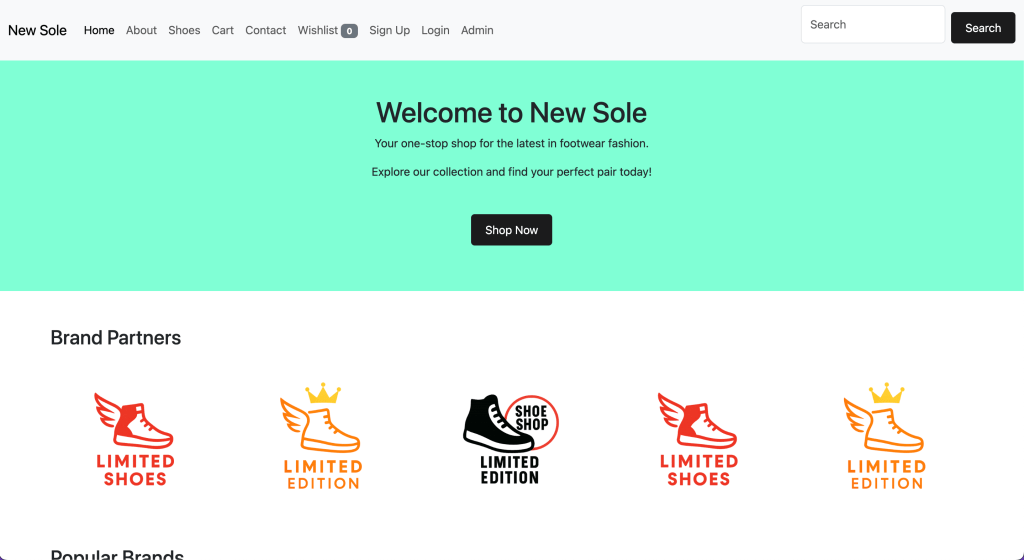
A feature-rich e-commerce web application built with Django, featuring user authentication, product management, wishlist and cart functionality, search, and email automation. The project is deployed using Render and styled with Bootstrap.
🚀 Features
🛍️ Product Management
- Displays shoes with details: name, description, price, categories, stock status, and images.
- Dynamic stock availability logic to show if a shoe is in stock.
- Pagination for better navigation (shows 5 items at a time with a “Show More” button).
🔍 Search
- Search shoes by name.
- Displays search results on the shoe listing page.
❤️ Wishlist & Cart
- Add to Wishlist: Save favorite shoes.
- Move to Cart from Wishlist: If the shoe is in stock, it moves to the cart; otherwise, it stays in the wishlist.
- Move to Wishlist from Cart: Easily move items back to wishlist.
- Delete from Cart: Remove items with a single click.
🔑 User Authentication
- Signup, Login, Logout powered by Django’s built-in authentication and
django-allauth. - Extended signup form with first name and last name fields.
- Access control: Shoe list, wishlist, and cart pages are restricted to logged-in users.
- Redirect guests to login or signup when attempting to access protected pages.
📧 Email Automation
- Sends a welcome email to users after successful signup.
- Uses Gmail SMTP for sending emails securely.
🗄️ Database
- Integrated PostgreSQL for production.
- Configured and deployed on Render.
🎨 Frontend
- Fully responsive design using Bootstrap.
🛠️ Tech Stack
| Category | Technology |
|---|---|
| Framework | Django |
| Database | PostgreSQL |
| Gmail SMTP | |
| Authentication | Django Allauth |
| Image Storage | Cloudinary |
| Deployment | Render |
| CSS Framework | Bootstrap 5 |
| Payment Gateway | Stripe (Webhook, Checkout, ngrok for local testing) |
Debugging Errors
Error: Database integrity – encountered inconsistency when locating a missing table, `account_emailaddress`.
Solution: Reseting current database on psql render connection doesn’t allow me to drop the current open db. Using --fake migration doesn’t work. I have to create a new db in render and reconnect to django settings.py using the new credentials. Below are following steps I did to go back to original state.
- Create a new db in render. In settings.py, update db credentials
- Run
python manage.py makemigrationsand migrate - Create superuser
- Seed db with shoe data. Assuming that configurations in management folder are still there.
Error 2: SSLCertVerificationError at /accounts/signup/ [SSL: CERTIFICATE_VERIFY_FAILED] certificate verify failed: unable to get local issuer certificate (_ssl.c:1124)
According to Gemini: The SSLCertVerificationError with the message “certificate verify failed: unable to get local issuer certificate” indicates that Python is unable to verify the authenticity of the SSL certificate presented by the server during an HTTPS connection. This commonly occurs when the system or Python environment lacks the necessary root or intermediate certificates to build a trusted chain of custody for the server’s certificate.
Solution: Identify the Python version you’re working on. Locate the Python package in your local machine and Run the Terminal Shell Script called Install Certificates.command
macOS: If using a default Python installation, run the Install Certificates.command script found within your Python application directory (e.g., /Applications/Python <version>/). This installs root certificates into the system’s trust store.
Windows: Ensure your system’s certificate store is up-to-date. You can also try installing the pip-system-certs package (pip install pip-system-certs) to allow Python’s requests library to use the Windows Certificate Store.
Error 3: django.core.exceptions.ImproperlyConfigured: Error importing form class accounts.forms: “cannot import name ‘SignupForm’ from partially initialized module ‘allauth.account.forms’
Solution: https://share.google/aimode/9sCJMrERn0ZiPtsso
Credits:
- Classmate’s notes from 2020!!!
- Chatgpt and Gemini
- Youtube tutorials
- Nike.com and Lovebonito.com for research
 FG Portfolio